Projector screen sharing
The active Android display is captured and encoded on the projector, allowing remote learners to follow applications, videos, whiteboard activity, and other visible teaching material.
Connected learning technology case study
Visual Purple developed the projector-side Android software that enables Digisoft Education Reach to broadcast a Smart Projector lesson to remote viewers. A presenter can share the projector screen, teaching audio, a connected USB camera, and live responses while viewers join through a web browser.
Reach helps a lesson move beyond the number of people who can physically see the projected image. It combines the Smart Projector's local teaching tools with a connected broadcast layer designed for classrooms, community groups, field programmes, and other distributed learning environments.
Learning challenge
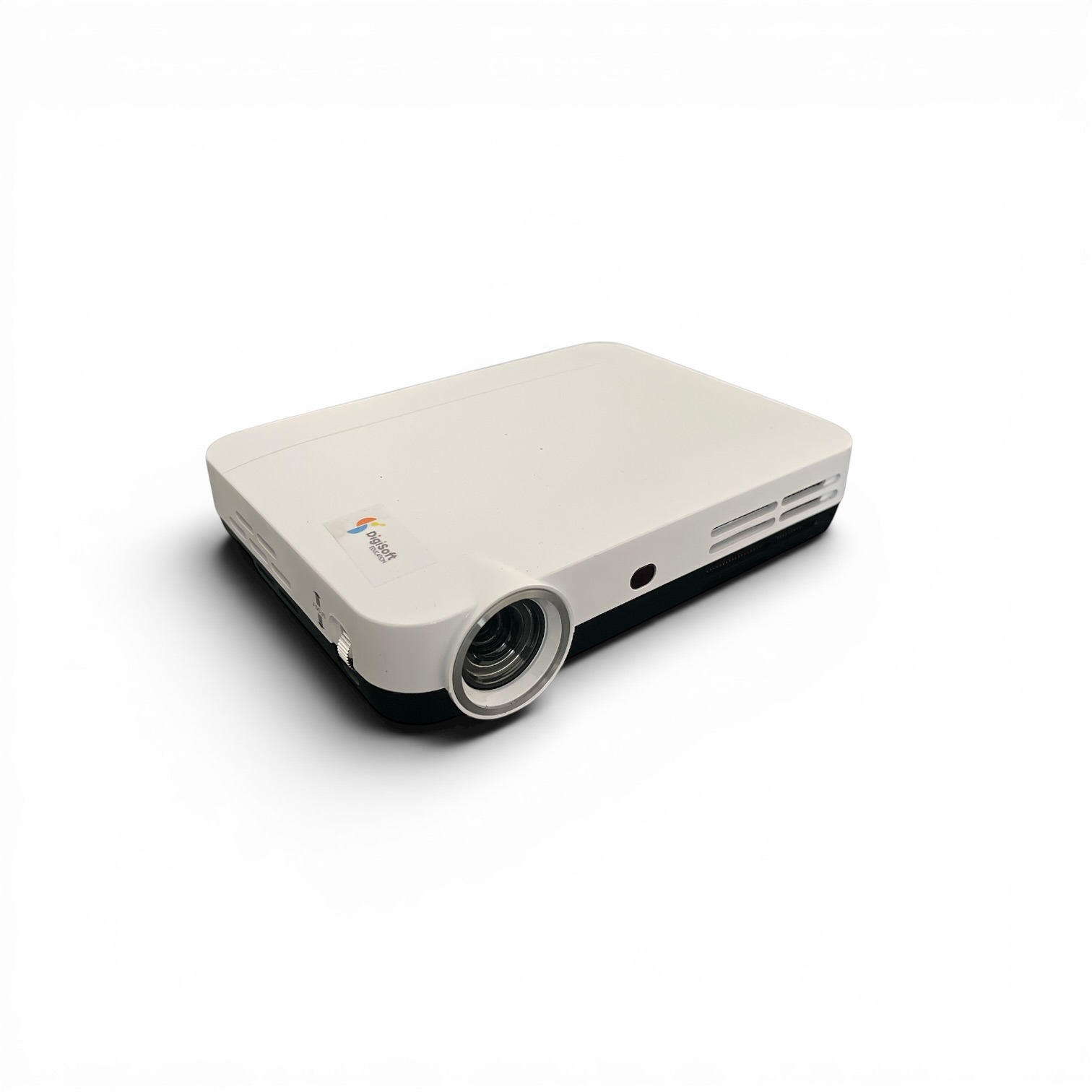
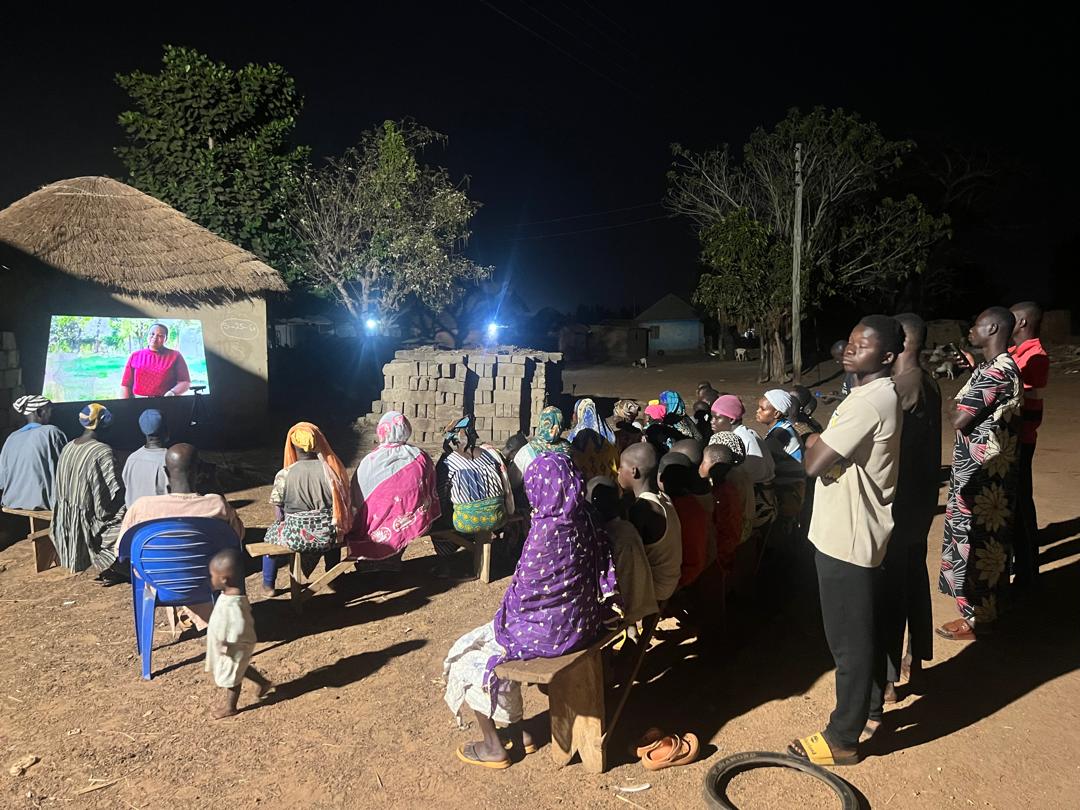
A projector is an effective way to bring a group around shared learning material, but every physical location has a practical audience limit. Learners may also be dispersed across villages, classrooms, programme sites, or homes. Reach addresses that limitation by allowing the projector to become both the local presentation device and the source of a browser-accessible live session.
The presenter continues using the projector's teaching resources. Reach captures the Android display as a live video stream. Audio can come from the microphone or projector media. A USB camera can show the presenter or a physical demonstration alongside the screen.
Remote participants do not need a specialist viewer application. Digisoft Education describes the viewer experience as browser based, which reduces the setup burden for invited learners. The projector identifies the broadcast using a presenter-selected name and access code, while the on-device control panel shows the attached viewer count and keeps screen, audio, and camera controls available during teaching.
Delivery model
The Android projector acts as the broadcast source. Its separate media components publish the screen, audio, and optional USB camera through the connected Reach service. Viewers use a browser to find or join the appropriate session and can send questions back to the presenter.
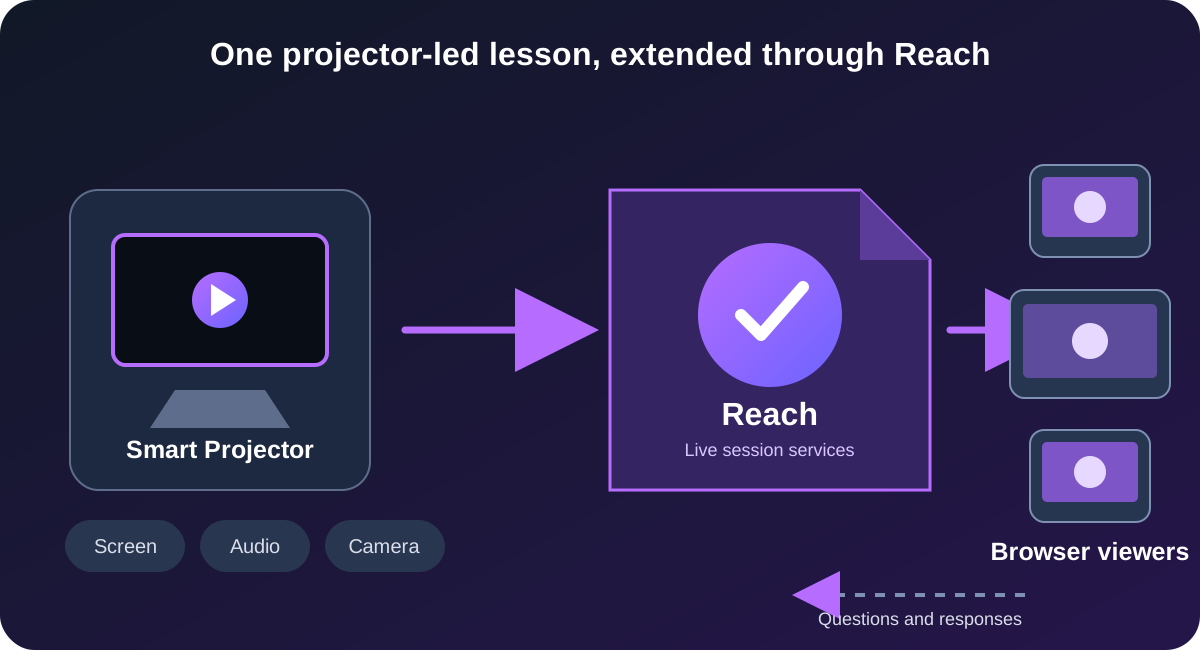
The active Android display is captured and encoded on the projector, allowing remote learners to follow applications, videos, whiteboard activity, and other visible teaching material.
The presenter can control teaching audio and enable a USB camera feed when learners need to see a speaker, demonstration, classroom, or practical activity.
Viewers join through a web browser rather than installing a dedicated viewing app. Live questions can appear in the projector's teaching overlay for a presenter response.
Presenter experience
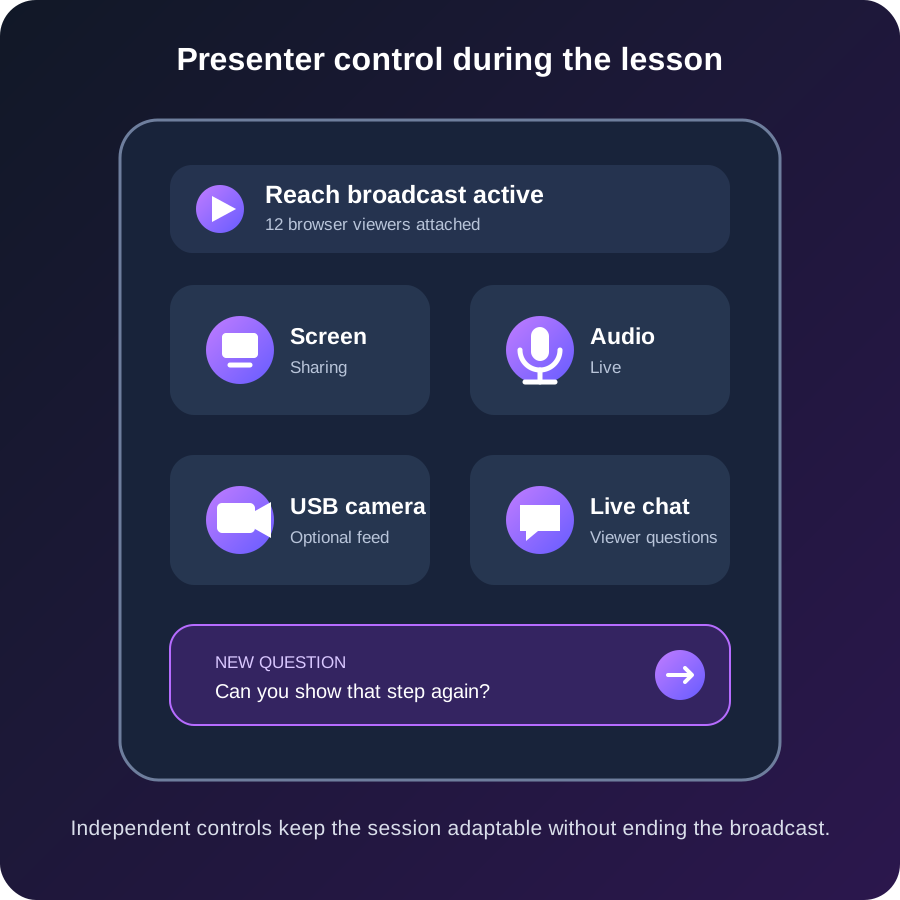
The projector-side experience is designed around a presenter who may be operating the device with a remote control rather than a keyboard and mouse. A compact overlay provides the core broadcast controls without forcing the teacher to leave the current learning application.
The presenter can start or deliberately stop the overall broadcast, pause or resume screen sharing, mute or unmute audio, and activate or deactivate the connected camera. The panel also displays the current number of attached viewers. A double-confirmation flow protects against accidentally ending the complete broadcast during a lesson.
Chat is presented as an overlay that can remain unobtrusive until a remote viewer submits a question. The presenter can open the conversation, review messages, and send a response using the projector interface. This turns the broadcast from a one-way relay into a practical teaching session with a route for learner participation.
Operational resilience
Live learning software must deal with more than the successful start of a broadcast. Networks can briefly disconnect, a teaching application can close unexpectedly, a USB camera can be removed, or one media component can fail while the others remain healthy. Treating every interruption as the end of the complete session would create unnecessary disruption for presenters and viewers.
The current implementation separates the logical session from individual media transports. Following a transient connection loss, signalling can reconnect, resume the session identity, create replacement transports, and ask active screen, audio, or camera services to recreate their producers. Component state is tracked independently so a screen interruption does not require healthy audio and camera services to stop.
The projector also records structured incident evidence for operational diagnosis. Current recovery work covers launched-application interruption, external media audio fallback, unexpected screen-share service loss, and short-lived network interruption. These measures improve continuity, while the product still distinguishes a deliberate presenter stop from a recoverable technical event.
Verified technical details
The details below are drawn from the working Digisoft Education projector repository and implemented presenter workflows.
Android MediaProjection captures the active display. The projector encodes a 960 by 540 VP8 screen stream at 15 frames per second using a configured 1.5 Mbps target bitrate.
The audio service supports microphone input and compatible external PCM from projector media. Stereo 48 kHz audio is encoded with Opus and can fall back to the microphone after an external application interruption.
A separate USB camera service captures a 640 by 480 feed and publishes it independently, allowing the presenter to switch the camera without disrupting screen or audio sharing.
WebSocket signalling, stable projector identity, resume tokens, reconnect backoff, replacement media producers, viewer-count updates, and component-state tracking support live-session continuity.
Delivered capability
Reach adds a live participation layer to Digisoft Education's projector platform. It allows the same device used to lead an in-person lesson to serve remote browser viewers without replacing the presenter's familiar teaching workflow.
Learn more about the wider Smart Projector platform on the Digisoft Education website.
Remote learners can follow a projector-led session through a browser when they cannot be physically present.
Screen, teaching audio, USB camera, and chat provide different ways to present and discuss learning material.
The projector interface exposes viewer count and component controls throughout the active session.
Transient failures and component interruptions can be handled without automatically treating the complete broadcast as deliberately ended.
Buyer questions
No dedicated viewer application is required. Digisoft Education presents Reach as allowing remote viewers to join through a web browser, reducing the setup required for participants.
The implemented projector software can share the active Android screen, teaching audio, and an optional USB camera. The presenter controls these components independently from the projector's broadcast panel.
Yes. The implementation includes browser-to-projector live chat. Viewer questions appear through a projector overlay, and the presenter can review the conversation and send responses while teaching.
The system is designed to treat a transient connection loss as recoverable rather than immediately terminal. Signalling reconnects, attempts to resume the logical session, rebuilds required transports, and allows active media services to recreate their streams. Actual recovery depends on the nature and duration of the interruption.
Yes. An engagement can cover Android source devices, browser-based viewing, live media, interaction, session resilience, operational diagnostics, or integration with an existing education and content platform.
Start a conversation
Discuss your presenter devices, viewer access, media requirements, connectivity constraints, interaction model, and the practical route to a resilient connected-learning platform.