
Registered access
Online registration establishes the projector as an authorized device and supports access to encrypted Access Agriculture video content held in cloud services and distributed to local storage.
Offline learning technology case study
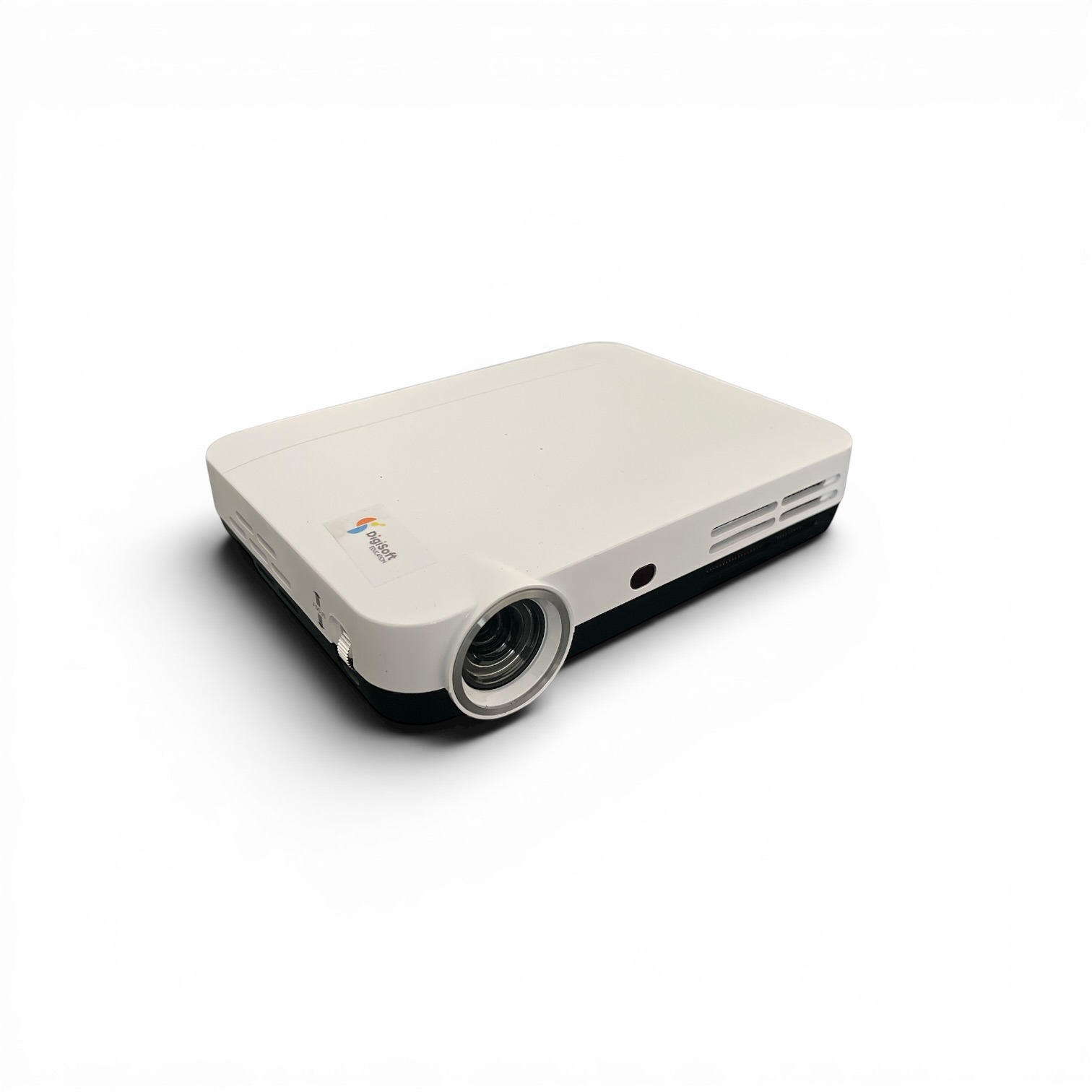
Visual Purple built the Android application that turns a Smart Projector into an offline-first agricultural learning library. Facilitators can browse approximately 5,000 farmer-training videos in more than 100 languages, prepare playlists, and deliver sessions where internet access is limited or unavailable.
When connectivity is available, the projector can register online, check for new releases, and download selected content. In the field, the application reads its protected video library from local storage and provides a television-style interface designed for projector remote controls.
Operational challenge
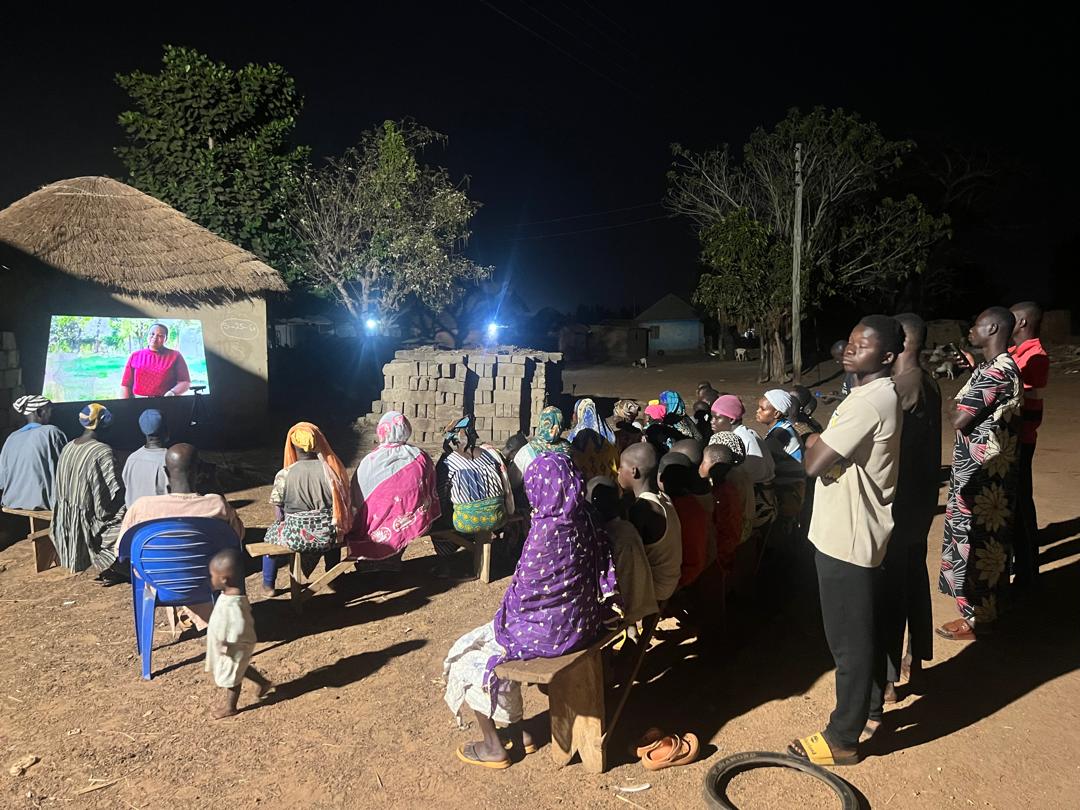
Access Agriculture produces practical farmer-training videos for audiences with different crops, production systems, and languages. Delivering that material through a normal streaming service would exclude many of the communities it is intended to support. Connectivity may be slow, expensive, intermittent, or completely absent at the point where a facilitator gathers a group.
The Smart Projector application addresses that constraint by treating offline use as the normal operating condition. Video files, thumbnails, categories, languages, interface labels, and playlists are held locally. A facilitator can search the library, choose an available language version, assemble a relevant sequence, and project it without depending on a live cloud connection.
Connectivity still creates value, but it is used deliberately. Registration allows authorized projectors to access protected content, while the update workflow checks for newly available videos and lets users download selected releases. This keeps a distributed offline library useful without making every learning session dependent on the network.
Offline-first delivery
The implementation separates connected administration and updates from dependable local delivery. This gives facilitators access to current material when connectivity permits while protecting the learning session from network failure.
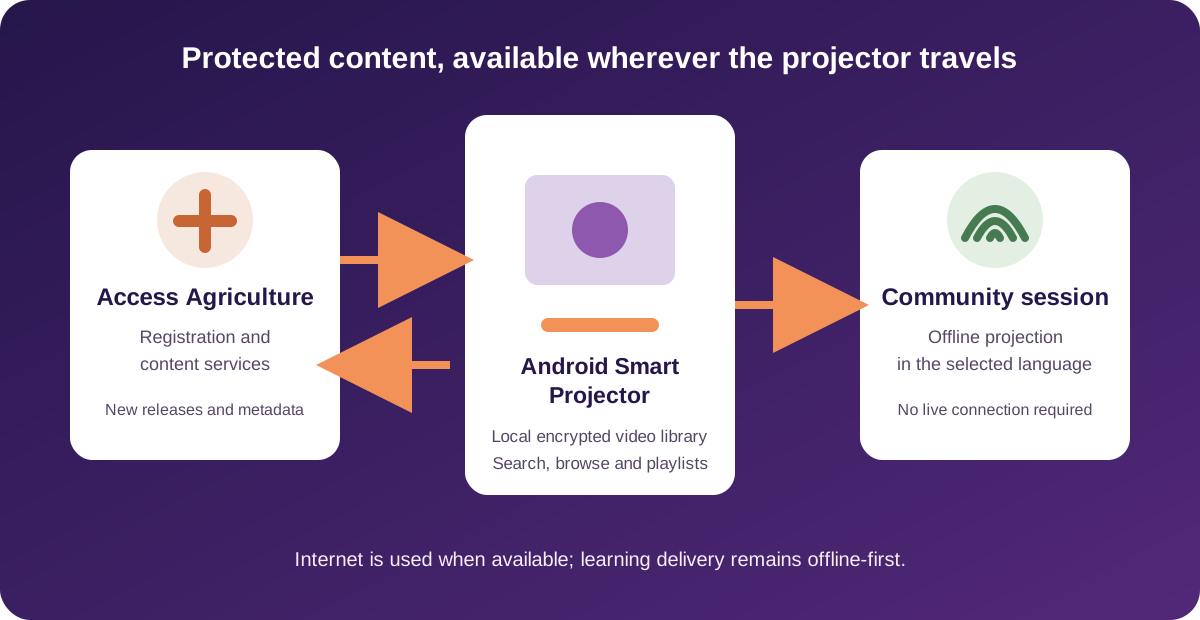
Online registration establishes the projector as an authorized device and supports access to encrypted Access Agriculture video content held in cloud services and distributed to local storage.
The application can check for available releases, present a download queue, and save selected videos and supporting metadata when a suitable internet connection is available.
Once content is present locally, facilitators can browse, organize, prepare, and play training material without requiring connectivity during the session.
Facilitator experience
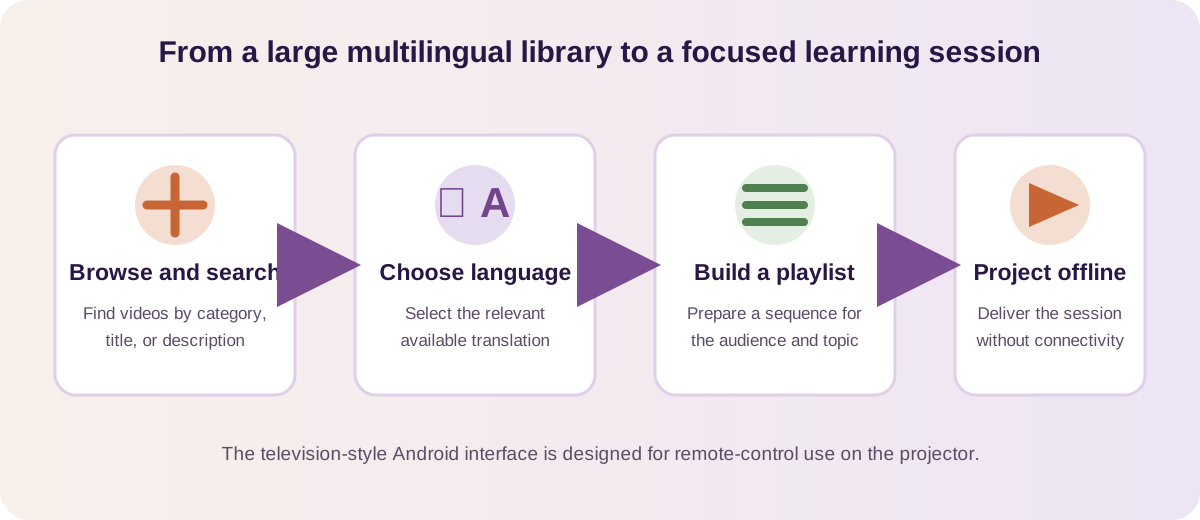
A large library only helps when users can find the right material quickly. The application organizes videos by agricultural category and language, supports title and description search, and exposes translated versions associated with each video. Facilitators can select the languages relevant to their programme and build playlists around a topic or audience.
The interface is built for a projector rather than a phone. Focus states and directional navigation allow the main workflows to be operated with a remote control from a distance. The application also presents video details, thumbnails, descriptions, play history, and preparation progress so the user understands what is available and what the device is doing.
Field-ready design
The application is intended for Android projector fleets used away from conventional classrooms and dependable infrastructure. Local USB-backed storage provides the capacity required for a substantial media library, while the application maintains the metadata and folder structure needed to make that content searchable and usable.
Protected playback is handled on the device. The current implementation prepares encrypted video files for viewing and provides visible progress for longer operations, rather than leaving the user uncertain. The project also includes explicit handling for Android 6 and Android 9 projector models, blank or partially prepared storage, and content owned by other applications.
This operational detail matters. An offline platform is not simply a connected application with its network calls removed. It must manage storage, updates, content integrity, user feedback, hardware constraints, and recovery paths as first-class product requirements.
Verified technical details
The technical details below are drawn from the working Access Agriculture Android codebase and its documented field test matrix.
A Java Android application with remote-control focus navigation, category, language, all-video and update tabs, video detail views, playback, playlists, and history.
Mounted USB storage holds videos, thumbnails, categories, languages, interface data, and local playlist records so core learning workflows remain available offline.
Encrypted video files are prepared on the projector for authorized playback, with AES-GCM handling and user-visible preparation progress for larger files.
Update checks, selectable downloads, queued video delivery, metadata bootstrap, category imagery, and recovery behavior keep the local library maintainable.
Delivered capability
The project demonstrates how software can make a substantial digital library usable beyond reliable broadband. These are product capabilities and engineering outcomes; they are not presented as independently measured agricultural impact.
Core discovery, playlist, detail, and playback workflows continue using local content when the projector has no internet connection.
Language selection and translation-aware video records help facilitators find versions appropriate to the audience.
Registration and encrypted playback support the governed delivery of protected Access Agriculture media.
Connected update and download workflows allow new releases to reach projectors without replacing the complete local collection.
Buyer questions
Yes. The application is designed around offline field use. Once the projector and its local content library are prepared, facilitators can browse videos, search, manage playlists, and deliver learning sessions without a live connection.
When connectivity is available, the application can check for updates, show available releases, and download selected videos and supporting metadata into the local library. This allows distributed projectors to gain new content without replacing the complete collection.
Registration establishes authorized access to protected Access Agriculture content. Encrypted videos remain stored locally and are prepared for playback by the application on the registered projector. Exact deployment and key-management arrangements are agreed with the content owner.
Yes. Playlist creation, editing, deletion, and playback are implemented in the Android application. Facilitators can prepare a focused sequence from the larger library before or during a learning programme.
Yes. The same principles can support education, public information, humanitarian training, or operational media libraries. An engagement would begin with the content model, target hardware, connectivity constraints, protection requirements, update method, and field support model.
Start a conversation
Discuss your content library, field hardware, language requirements, protection model, and the practical route to an offline-first learning platform.